Subscribe to Updates

    Get the latest creative news from FooBar about art, design and business.

    What's Hot

    RIDE 6 Review – Joyride or Stopover?

    February 10, 2026

    All confirmed CM Punk Showcase matches so far

    February 10, 2026

    NBA 2K26 2KTV Episode 19 Answers

    February 7, 2026
    Facebook Twitter Instagram
    Gaming Dark
    • Home
    • Reviews

      Hitman 3 on PS5 vs Xbox Series X: Which Version Wins

      January 15, 2021
      8.9

      Apex Legends Will Get Fortnite-Style Game-Changing Live Events

      January 15, 2021
      8.9

      Leaked Fortnite Skins and Cosmetic Items from v9.50 Update

      January 15, 2021

      CoD: New Patch of Black Ops Cold War Notes Firebase Z Maps

      January 14, 2021
      72

      Valorant Patch 2.02: Rifle Accuracy Change & Omen Teleport Bug Fixed

      January 14, 2021
    • Playstation
      1. Reviews
      2. Xbox
      3. Guides
      4. View All

      Hitman 3 on PS5 vs Xbox Series X: Which Version Wins

      January 15, 2021
      8.9

      Apex Legends Will Get Fortnite-Style Game-Changing Live Events

      January 15, 2021
      8.9

      Leaked Fortnite Skins and Cosmetic Items from v9.50 Update

      January 15, 2021

      CoD: New Patch of Black Ops Cold War Notes Firebase Z Maps

      January 14, 2021

      New Fortnite 2021 Leak Reveals Monster’s Return

      January 15, 2021

      Overwatch: In-Game goodies Revealed in BlizzCon 2021

      January 14, 2021

      PlayStation 5’s Mario Game & Watch is a Choice Gaming Stuffer

      January 13, 2021

      Gravity Sketch VR 3D Modeling is Now Free to Use

      January 13, 2021

      The Finals deploys new World Tour update alongside some dicey nerfs

      September 27, 2025

      Get your Suicide Squad XP boost as there’s just 4 days until Season 2

      September 27, 2025

      You can preload The First Descendant right now on PS5 and Xbox

      September 27, 2025

      This Starfield Xbox mod lets you skip all the boring stuff immediately

      September 27, 2025

      PS5 System Update Fixes PS5 Disc Installation Bug

      January 15, 2021

      Fortnite Crossover Official: Snake Eyes Joins the Hunt

      January 14, 2021

      Ghostrunner An Exhilarating Display of Acrobatic Platform

      January 14, 2021

      15 Things You Need To Know Before You Buy Pokémon

      January 14, 2021
    • PC Games
    • Guides
    • Xbox
    Facebook Twitter Instagram
    Gaming Dark
    Home»PC Games»How To Scan Your Face Into NBA 2K26 MyPLAYER & MyCAREER
    PC Games

    How To Scan Your Face Into NBA 2K26 MyPLAYER & MyCAREER

    By adminAugust 30, 2025No Comments3 Mins Read
    Share
    Facebook Twitter LinkedIn Pinterest Email

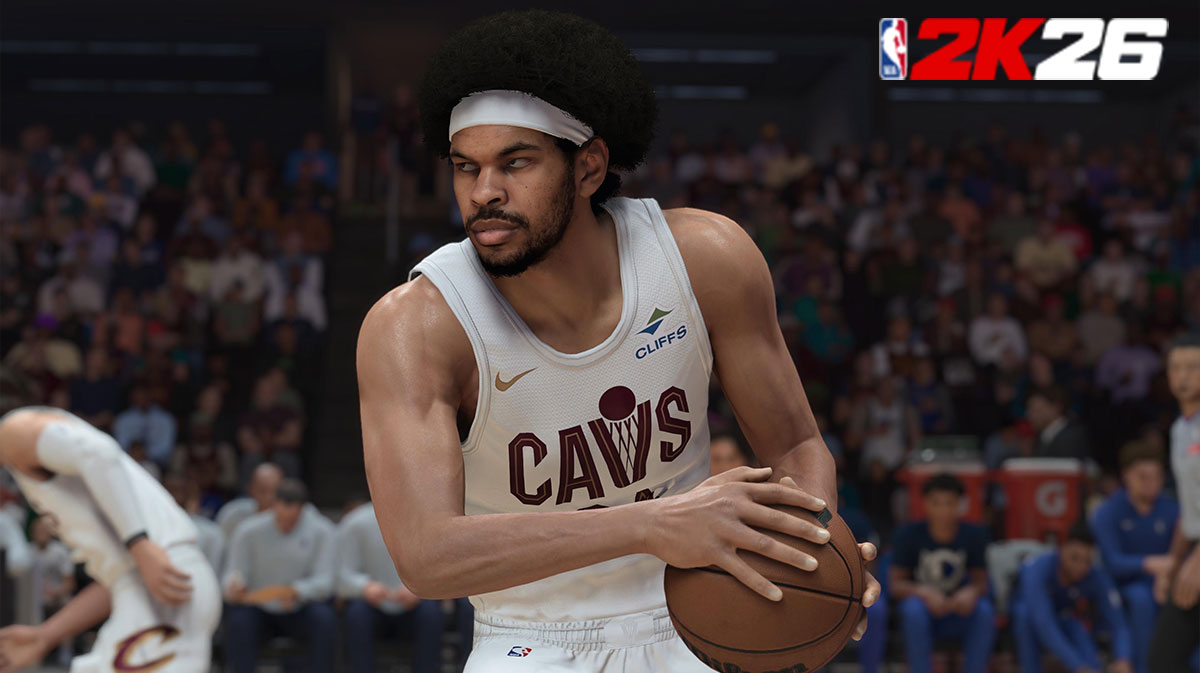
    NBA 2K26‘s MyPLAYER Builder gives you the option to scan your own face into the game, letting you see yourself on the court in modes like MyCAREER, MyNBA, and more. However, newcomers to the series may not know how to scan their face into the game. Therefore, we created a guide on how to scan your face for use in NBA 2K26. Without further ado, let’s get your face in the game!

    How Do You Scan Your Face Into NBA 2K26 MyPLAYER?

    To scan your face into NBA 2K26 MyPLAYER, you need to:

    • Download the MyNBA 2K App on your Android or iOS device
    • Sign into your PSN, Xbox Live, Steam, or Nintendo Account to link your device/gaming system
    • On the top right corner of the main menu, press the button that says “NBA 2K”
    • Select “NBA 2K26
    • Go back to the main menu of the app and select the “Face Scan” Option

    When you create your MyPLAYER, you’ll get the opportunity to Check for Head Scan Data. Select this option and the game will then import your scanned face. Overall, that includes all the necessary steps to get your face into NBA 2K26.

    However, you may need to re-do the scan if you’re not happy with the results. Fortunately, the developers provide you with a list of tips to help you out:

    • Scan your face in a naturally-lit environment with minimal shadows
    • Do not blink or stare directly at open light during the scanning process
    • Hold your phone at eye level, and roughly 18″ away from your face
      • The screen lets you know if you’re too close or too far
    • Turn your head slowly and at a maximum of 45 degrees
    • Look forward, and not at the phone

    Once you’re all set, you can then build your MyPLAYER before beginning MyCAREER. From there, the real work begins, as you’ll need to decide which type of player you want to be.

    Overall, that includes everything you need to know about how to scan your face into NBA 2K26’s MyPLAYER mode. Once you’ve finished building your MyPLAYER, begin your MyCAREER and become the next GOAT to overtake the league. Whether you use any of the various MyPLAYER build templates, or create your own, MyCAREER is all about watching your rookie become the next star.

    If you want more NBA 2K26 content, feel free to check out all the rewards you can earn in Season 1 of MyTEAM and MyCAREER.

    Lastly, for more gaming and NBA news, visit ClutchPoints. Furthermore, subscribe to our gaming newsletter for more weekly info.

    Share. Facebook Twitter Pinterest LinkedIn Tumblr Email
    admin
    • Website

    Related Posts

    RIDE 6 Review – Joyride or Stopover?

    February 10, 2026

    All confirmed CM Punk Showcase matches so far

    February 10, 2026

    NBA 2K26 2KTV Episode 19 Answers

    February 7, 2026

    WWE 2K26 Season Start Dates & Ringside Pass Details

    February 7, 2026
    Add A Comment

    Leave A Reply Cancel Reply

    Recent Posts

    • RIDE 6 Review – Joyride or Stopover?
    • All confirmed CM Punk Showcase matches so far
    • NBA 2K26 2KTV Episode 19 Answers
    • WWE 2K26 Season Start Dates & Ringside Pass Details
    • WWE 2K26 Gameplay Reveal Shows New Match Types & More

    Recent Comments

    No comments to show.
    Editors Picks

    Fortnite Show is Coming to Both PlayStation and Xbox Consoles

    January 12, 2021

    Resident Evil Features 9 Feet Tall Lady

    January 12, 2021

    Call of Duty Ratings Fall to 4.5 Stars

    January 12, 2021

    New Update 14 of Call of Duty Launched

    January 5, 2021
    Top Reviews
    9.1
    Guides

    Cyberpunk 2077 Players Should Avoid Mods Due to Vulnerabilities

    By admin
    8.9
    Guides

    Oblivion DLC Takes You to Leyawiin and Arena’s Gideon

    By admin
    8.9
    Reviews

    Leaked Fortnite Skins and Cosmetic Items from v9.50 Update

    By admin
    Advertisement
    Demo
    Gaming Dark
    Facebook Twitter Instagram Pinterest Vimeo YouTube
    • Home
    • Reviews
    • Xbox
    • Playstation
    • Privacy Policy
    © 2026 .Designed by WPfastworld

    Type above and press Enter to search. Press Esc to cancel.